
True 3D pieces
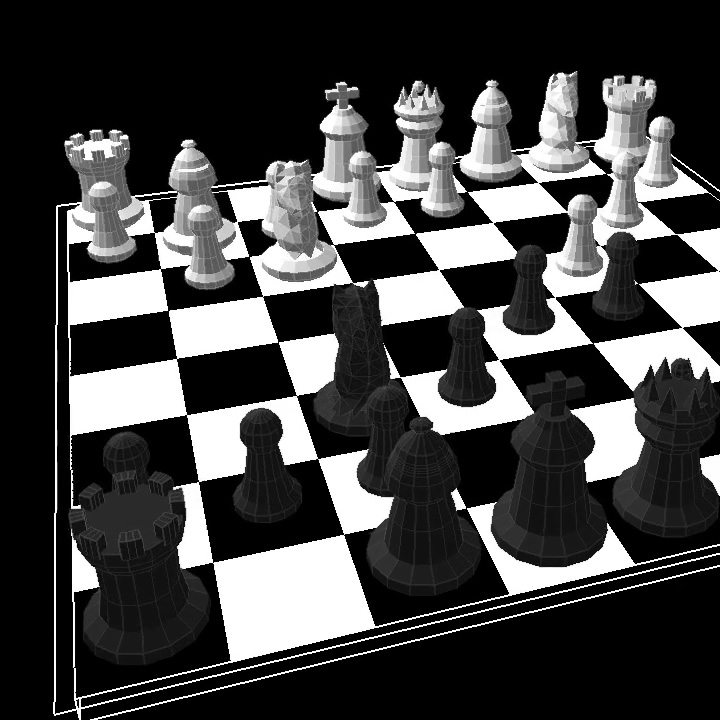
Solid, shaded models with configurable faceted or smoothed rendering.
The ultimate screen saver for chess lovers!
Turn an idle monitor into a cinematic 3D chessboard.
Watch historical games unfold with animated pieces, dramatic
captures and an orbiting camera.
Every part of the presentation is designed to make famous games easy to follow and satisfying to watch.
Solid, shaded models with configurable faceted or smoothed rendering.
An optional overhead orbit with adjustable speed and angle.
Captured pieces glow, break apart and are displayed beside the board as the game develops.
Watch well-known games replayed move by move, complete with player, event, place and year.
Control speed, timing, camera behaviour, title display, lighting and other visual options.
Runs as a normal Windows .scr screensaver and exits as soon as you return.
Get Screen Chess 3D exclusively from Microsoft Store. Open the listing, select Get or Install, then follow the setup instructions in the installed app.
It is free to get from Microsoft Store and use. A small voluntary donation helps fund new games, improved models and future screensavers.
Yes, you can download a Zip file with the native Windows .scr by clicking here.
NOTE: Because the screen saver is still very new, most browsers will currently flag this file as being potentially dangerous. This is because it takes time for the site and the file to become recognised as a trusted source.
You can still download the file by clicking "Download suspicious file".
Then simply unzip the .scr file, right-click on it and select "Install".
Yes. It is offered free for personal use. Donations are entirely voluntary.
Open the Screen Chess 3D listing on Microsoft Store and select Get or Install. Once installed, open the app and follow its setup instructions. You can then select and configure Screen Chess 3D in Windows Screen Saver Settings.
Open the Windows Start menu, search for Change screen saver and open the result. Select Screen Chess 3D from the list, then choose Settings to customise it.
Yes. Open the screensaver settings panel to adjust the camera, move timing and other presentation options.
No. The screensaver runs locally without an internet connection.